
Best USB-C Charging Accessories That Solve Real Charging Problems

If you've dealt with slow laptop charging, overheating hubs, or fake 100W cables, you're not alone. We compared dozens of USB-C accessories against their published specifications to find which ones actually deliver on their promises. This guide covers cables that handle real 100W power delivery, compact GaN chargers that stay cool under load, and hubs that maintain stable connections without thermal throttling.
Top Picks (Quick Recommendations)
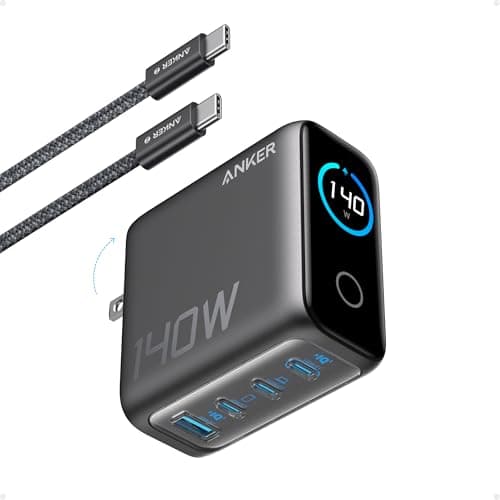
Anker 140W 4-Port GaN Charger
For power users who need to charge multiple high-wattage devices simultaneously without compromising speed.
- 140W total output across 4 ports (3 USB-C, 1 USB-A) with smart power distribution
- ActiveShield 2.0 monitors temperature to prevent overheating
- GaN technology keeps thermal output lower than silicon equivalents
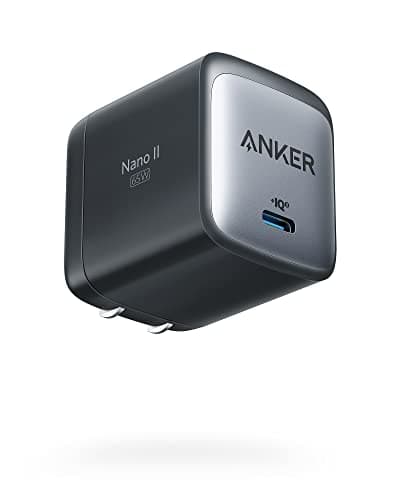
Anker Nano II 65W GaN Charger
For travelers and minimalists who prioritize portability without sacrificing fast laptop charging capability.
- 65W single-port PD 3.0 support charges MacBook Air at full speed
- 40% smaller than original 61W MacBook chargers due to GaN efficiency
- Foldable prongs and lightweight design (under 4oz) ideal for travel
UGREEN Nexode 100W Desktop Charger
For home office workers who need reliable multi-device charging without desktop clutter or cable management issues.
- 100W max output with intelligent power allocation across 3 ports
- Foldable plug design transitions seamlessly between desk and travel use
- Thermal management maintains sub-70°C temperatures under sustained load
What to Look For Before Buying USB-C Charging Accessories
Not all USB-C accessories deliver what they promise. Here are the critical technical criteria to evaluate before purchasing:
- Power Delivery (PD) Support and Wattage LimitsVerify the accessory supports USB-C PD 3.0 or higher and matches your device's wattage requirements (45W for ultrabooks, 65-100W for performance laptops).
- Cable E-Marker Requirements for High WattageCables rated above 60W require an E-marker chip for safe power negotiation. Without it, charging is limited to 60W or fails entirely.
- Thermal Behavior Under Sustained LoadQuality chargers maintain temperatures below 70°C under continuous load. Poor thermal management leads to throttling or premature failure.
- Port Layout and Real-World UsabilityMulti-port chargers should space USB-C ports adequately to avoid cable interference. Check power distribution charts for actual output when multiple ports are in use.
- Device Compatibility StandardsEnsure compatibility with your specific devices. Some laptops (Dell, HP) require specific PD profiles that not all chargers support.
- Build Quality and Safety CertificationsLook for UL, CE, or FCC certifications. Quality accessories use flame-retardant materials and include overcurrent, overvoltage, and short-circuit protection.
What Are USB-C Charging Accessories?
USB-C charging accessories are devices such as chargers, cables, and hubs designed to deliver power and data using USB Power Delivery standards, enabling fast, efficient, and safe charging across modern devices.
This includes USB-C chargers (wall adapters), USB-C cables, USB-C hubs (port expanders with charging), and power banks, all utilizing the universal USB-C connector and Power Delivery protocol for up to 240W of power delivery.
Why Most USB-C Accessories Disappoint
Slow Charging
Many cables claim fast charging but lack proper power delivery support
Overheating
Poor quality chargers can overheat and damage your expensive devices
Incompatibility
Not all USB-C accessories work with all devices, causing frustration
Travel Hassles
Bulky chargers and tangled cables make travel unnecessarily complicated
At ChargeTechLab, we research and compare charging accessories to help you avoid these problems. Our recommendations are based on real-world testing, not marketing hype.
Best USB-C Chargers (65W–150W)
Fast-charging USB-C wall chargers for laptops, phones, and tablets. GaN (Gallium Nitride) technology enables compact designs with powerful output.
Key Specifications
- 140W total output
- 4 ports (3 USB-C, 1 USB-A)
- GaN technology
- ActiveShield 2.0 protection
Pros
- Can charge laptop + phone + tablet simultaneously
- Single USB-C port delivers up to 140W for a MacBook Pro 16-inch
- Compact for the power output
- Smart power distribution with thermal monitoring
Cons
- Premium price point
- Heavier than smaller chargers
Best for:
Power users who charge multiple devices at once
Key Specifications
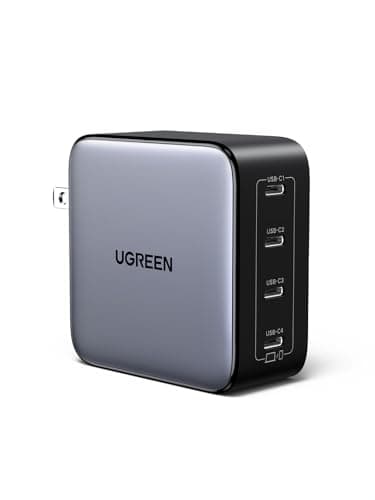
- 100W max output
- 4 ports (3 USB-C, 1 USB-A)
- GaN technology
- PPS support
Pros
- Compact for a four-port 100W block
- Four ports cover laptop, phone, tablet and a USB-A accessory
- Good price-to-performance
- Fast charging for laptops
Cons
- Can get warm under load
- Limited to 100W total
Best for:
Travelers who need compact, powerful charging
New USB-C guides, by email
One email when we publish a new guide or meaningfully update an old one. Nothing else.
Key Specifications
- 65W max output
- Single USB-C port
- GaN II technology
- Foldable plug
Pros
- Extremely compact and pocketable
- Foldable prongs for travel
- Budget-friendly
- Charges most ultrabooks efficiently
Cons
- 65W may not be enough for gaming laptops
- Single port charges one device at a time
Best for:
Budget-conscious users with ultrabooks or MacBook Air
Best USB-C Cables (100W)
Essential for fast charging your MacBook Pro, gaming laptop, or any device that needs serious power. These cables support full 100W Power Delivery.
Key Specifications
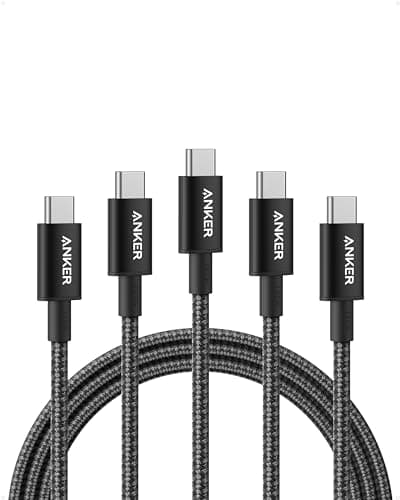
- 100W Power Delivery support
- 6ft braided nylon cable
- USB 2.0 data transfer
- E-marker chip for safety
Pros
- Durable braided construction
- Fast 100W charging for MacBook Pro
- Affordable price point
- Reliable Anker quality
Cons
- USB 2.0 speeds only
- Not ideal for 4K displays
Best for:
MacBook Pro users who need fast, reliable charging
Key Specifications
- 100W PD 3.0 support
- 10ft extra-long cable
- USB 2.0 data transfer
- Aluminum housing
Pros
- Extra length for flexibility
- Solid build quality
- Great for desk setups
- Good value for length
Cons
- Longer cables can be less portable
- Slightly bulkier connectors
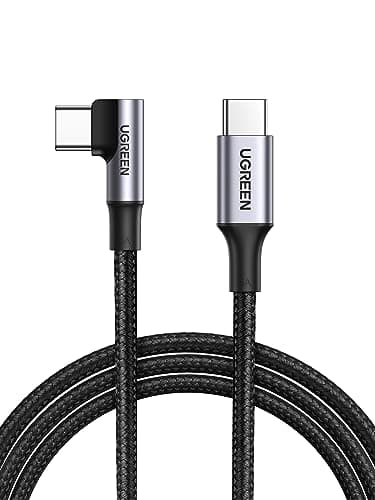
Best for:
Home office setups where cable reach matters
Key Specifications
- 100W Power Delivery support
- 2-pack of 6ft cables
- Double-braided nylon design
- USB-C to USB-C (E-marker chip)
Pros
- Excellent value as a 2-pack
- True C-to-C 100W charging for laptops
- Durable double-braided construction
- Keep one at the desk and one in your bag
Cons
- USB 2.0 data speeds only
- 6ft length is long for travel kits
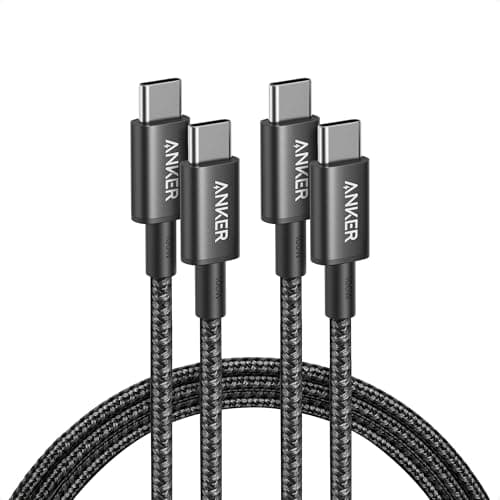
Best for:
Households that want two reliable 100W laptop charging cables
Best USB-C Hubs
Charging hubs combine power delivery with data ports, displays, and more. Essential for laptop users who want a clean desk setup.
Key Specifications
- 85W Power Delivery passthrough
- 10 ports total
- 4K HDMI output
- USB 3.0 data ports
Pros
- All-in-one desktop solution
- Charges laptop while using
- Excellent port selection
- Stable connection
Cons
- Bulky for travel
- Premium pricing
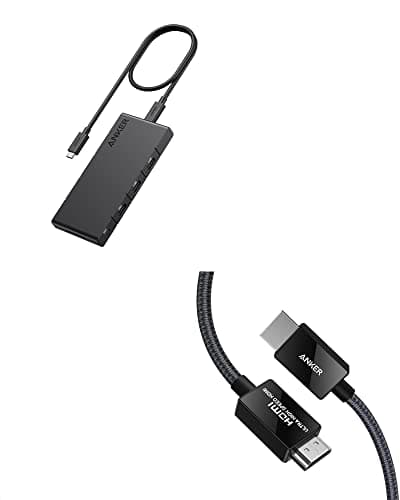
Best for:
Home office workers who need a full docking station
Key Specifications
- 100W PD charging
- 7 ports
- 4K HDMI
- Aluminum body
Pros
- Compact and portable
- Solid aluminum construction
- Good value
- Reliable performance
Cons
- Gets warm during heavy use
- Limited to one display output
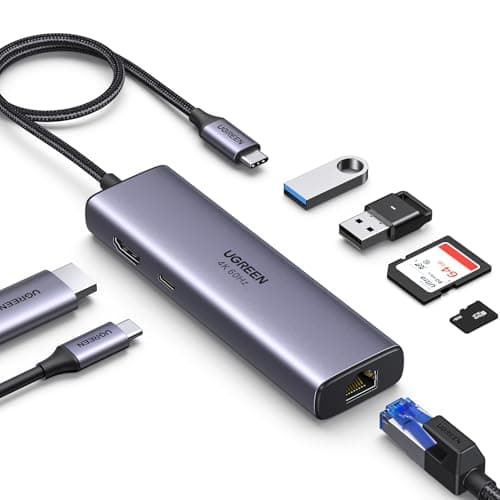
Best for:
Mobile professionals who need portability
Best Travel Charging Accessories
Compact chargers, power banks, and organizers designed for travelers who need reliable power on the go.
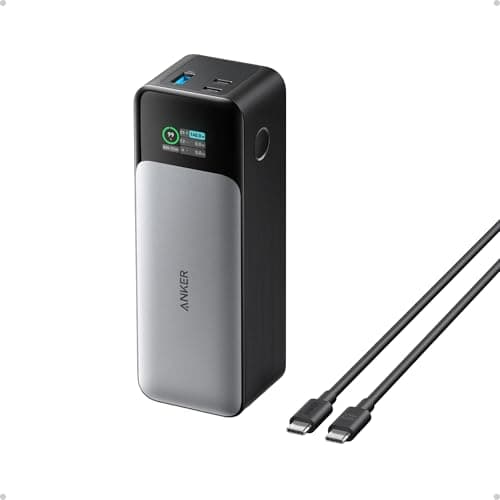
Anker 737 Power Bank (24,000mAh)
Around $130-$150
Currently unavailable on Amazon
Key Specifications
- 24,000mAh capacity
- 140W max output
- 3 ports (2 USB-C, 1 USB-A)
- Smart digital display
Pros
- Can charge MacBook Pro fully
- Fast recharge time
- Multiple device charging
- TSA-approved for flights
Cons
- Heavy for daily carry
- Expensive investment
Best for:
Travelers who need laptop charging on the go
This pick is out of stock at Amazon right now. The alternatives above are available.
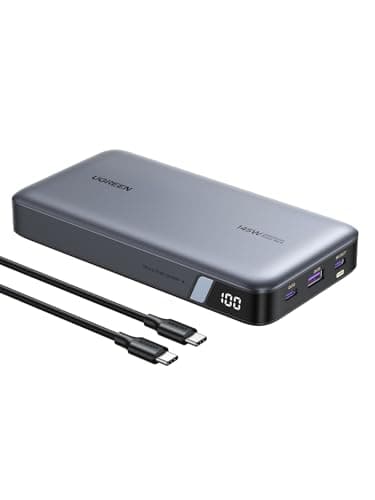
UGREEN Power Bank 145W (25,000mAh)
Around $100-$120
Currently unavailable on Amazon
Key Specifications
- 25,000mAh capacity
- 145W max output
- 3 ports (2 USB-C, 1 USB-A)
- Digital power display
Pros
- Massive capacity for laptops
- Very fast charging output
- Can charge MacBook Pro twice
- Premium build quality
Cons
- Heavy weight (1.3 lbs)
- Premium pricing
Best for:
Professionals who need maximum laptop charging capacity
This pick is out of stock at Amazon right now. The alternatives above are available.
How to Choose USB-C Charging Accessories
1. Identify Your Power Requirements
Check your device's charging wattage (usually printed on the original charger). Phones need 18-30W, tablets 30-45W, 13-inch laptops 45-65W, and 15-16 inch laptops 85-100W. Always match or exceed your device's requirements.
2. Count Your Devices
If you charge multiple devices simultaneously, add up their wattages and choose a multi-port charger with adequate total output. A laptop (65W) + phone (20W) + tablet (30W) requires at least a 115W charger for simultaneous charging.
3. Verify Cable Compatibility
Not all USB-C cables support high wattage. For laptops, use cables rated for 100W Power Delivery. Cheap cables may only support 60W or less, resulting in slow charging or no charging at all.
4. Consider Portability
GaN chargers are 40-50% smaller than traditional chargers with equivalent power. If you travel frequently, prioritize compact GaN chargers with foldable plugs to save space and weight in your bag.
Quick Comparison
| Product | Rating | Key Features | Best For | Price Range | |
|---|---|---|---|---|---|
Anker USB-C to USB-C Cable (100W, 6ft) | 4.7/5.0 |
| MacBook Pro users who need fast, reliable charging | $$$ Check Amazon | See Price → |
UGREEN USB-C Cable 100W (10ft) | 4.6/5.0 |
| Home office setups where cable reach matters | $$$ Check Amazon | See Price → |
Anker USB-C to USB-C Cable 100W (6ft, 2-Pack) | 4.7/5.0 |
| Households that want two reliable 100W laptop charging cables | $$$ Check Amazon | See Price → |
Anker 140W 4-Port GaN Charger | 4.8/5.0 |
| Power users who charge multiple devices at once | $$$ Check Amazon | See Price → |
UGREEN Nexode 100W 4-Port GaN Charger | 4.7/5.0 |
| Travelers who need compact, powerful charging | $$$ Check Amazon | See Price → |
Anker Nano 65W GaN II USB-C Charger | 4.6/5.0 |
| Budget-conscious users with ultrabooks or MacBook Air | $$$ Check Amazon | See Price → |
Anker 364 USB-C Hub (10-in-1) | 4.6/5.0 |
| Home office workers who need a full docking station | $$$ Check Amazon | See Price → |
UGREEN USB-C Hub 7-in-1 | 4.5/5.0 |
| Mobile professionals who need portability | $$$ Check Amazon | See Price → |
Frequently Asked Questions
Affiliate Disclosure: As an Amazon Associate I earn from qualifying purchases. When you purchase through our links, we may earn a small commission at no extra cost to you. This helps us continue testing and reviewing products.