
USB-C vs Thunderbolt Charging: Does Thunderbolt Charge Faster?

There's a common misconception that Thunderbolt cables charge laptops faster than regular USB-C cables. Let's clear this up once and for all with technical facts.
Thunderbolt and USB-C charge at exactly the same speed.
Both use USB Power Delivery (USB-PD) for charging, which supports up to 100W. The difference between Thunderbolt and USB-C is data transfer speed, not charging speed. A Thunderbolt cable offers no charging advantage over a quality USB-C cable with the same power rating.
Understanding the Confusion
The confusion stems from mixing up the connector type (USB-C) with the data protocol (Thunderbolt). Let's clarify:
USB-C is the physical port shape—that reversible oval connector on modern laptops and phones. It's just the hardware interface, like saying "headphone jack." The USB-C connector can carry different protocols: USB 2.0, USB 3.2, USB4, DisplayPort, HDMI, and yes, Thunderbolt.
Thunderbolt 3 and 4 are high-speed data transfer protocols that happen to use the USB-C connector. Think of Thunderbolt as the "language" spoken through the USB-C "telephone line." Thunderbolt provides 40 Gbps data transfer, but for charging, it uses the same USB Power Delivery protocol as regular USB-C.
Key insight:
When you plug in a charger, your laptop only cares about USB Power Delivery—the universal charging standard that works across all USB-C ports, whether they support Thunderbolt or not. The data protocol is completely irrelevant for charging.
USB-C vs Thunderbolt: Side-by-Side
| Feature | USB-C (USB 3.2/USB4) | Thunderbolt 3/4 |
|---|---|---|
| Charging Protocol | USB Power Delivery (PD) | USB Power Delivery (PD) |
| Maximum Charging Power | 100W (5A @ 20V) | 100W (5A @ 20V) |
| Charging Speed | Identical | Identical |
| Data Transfer Speed | 10-20 Gbps (USB 3.2) or 40 Gbps (USB4) | 40 Gbps |
| Display Support | 1-2 displays via DisplayPort Alt Mode | 2x 4K or 1x 5K/8K displays |
| Daisy Chaining | Not supported | Up to 6 devices |
| Cable Cost (1m, 100W) | $10-$20 | $30-$60 |
| Best For | Charging, basic data, most users | High-speed data, pro workflows, docks |
When Does Thunderbolt Actually Matter?
- You transfer large files frequently (video editing, photography) and need 40 Gbps speeds
- You connect multiple 4K displays through a single cable
- You use an external GPU (eGPU) for gaming or rendering
- You daisy-chain devices (connecting multiple peripherals in series)
- You use professional Thunderbolt docks that require the protocol
- •Your primary use is charging only
- •You occasionally transfer documents or photos (10-20 Gbps is plenty)
- •You connect a single external monitor
- •You want to save money on cables and accessories
- •Your laptop doesn't have Thunderbolt ports (most budget/mid-range laptops)
Practical advice:
If you're buying a cable or charger primarily for charging your laptop, save your money and get a quality USB-C cable rated for 100W (5A). Thunderbolt cables cost 2-4x more for zero charging benefit. Only invest in Thunderbolt cables if you actively use the data transfer or display features that require it.
Real-World Charging Scenarios
Question: Will a Thunderbolt cable charge my MacBook Pro faster than a USB-C cable?
Answer: No. Both will charge at the same speed using USB Power Delivery. If you have a 96W charger, both cables deliver 96W. The Thunderbolt port is backward-compatible with USB-C charging, and the charging speed depends on your charger wattage, not the cable protocol.
Question: Should I charge through the Thunderbolt port or USB-C port?
Answer: It doesn't matter for charging speed—both ports support the same USB Power Delivery charging. However, some laptops reserve the Thunderbolt port for data-intensive tasks, so you might prefer charging via the standard USB-C port to keep Thunderbolt free for docks or external drives.
Question: Does a Thunderbolt dock charge faster than a standalone USB-C charger?
Answer: No. The dock's charging speed depends on its power delivery rating (typically 85W or 96W for Thunderbolt docks), not the Thunderbolt protocol. A standalone 100W USB-C charger will actually charge faster than most Thunderbolt docks. The advantage of the dock is convenience—one cable for power, data, and displays.
USB-C Hub or Thunderbolt Dock: What We'd Buy
Both charge your laptop identically at 100W — the difference is bandwidth and display support, not power. Here is the honest split between the option most people need and the one worth paying for. For more options, see our dual-monitor hub guide.
Anker 364 USB-C Hub (10-in-1, Dual 4K HDMI)
$85.78
Key Specifications
- 10-in-1 ports
- Dual 4K HDMI output
- 100W power delivery pass-through
- Gigabit Ethernet
- USB-C, no Thunderbolt certification
Pros
- Costs a third of a Thunderbolt dock
- Dual 4K displays without paying the Thunderbolt premium
- 100W pass-through charges a laptop while docked
- Works with any USB-C laptop, not just Thunderbolt machines
Cons
- Bandwidth shared across ports
- Not suitable for external GPUs or fast RAID arrays
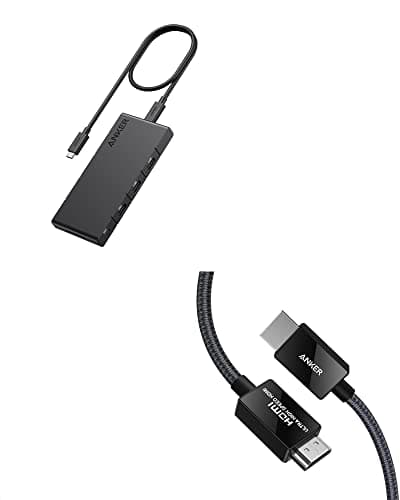
Why it's a good choice
The point of this page is that Thunderbolt and USB-C charge identically, and most people are paying for bandwidth they never use. If your workload is two monitors, a keyboard, a mouse and a network cable, a plain USB-C hub does everything a Thunderbolt dock would, at a third of the price. Charging is handled by the same PD negotiation either way.
✓ Buy if you have:
Home office workers, students, anyone with a non-Thunderbolt Windows laptop, people who want dual monitors without the dock premium
✗ Skip if you have:
Video editors moving large files off fast external SSDs, and anyone chaining Thunderbolt-only peripherals
Best for:
Anyone whose docking needs are two monitors, Ethernet and peripherals — the overwhelming majority
Plugable 16-in-1 Thunderbolt 4 Dock
$289.99
Key Specifications
- Thunderbolt 4 certified (40Gbps)
- 16 ports
- Dual 4K monitor support on M4/M5 MacBooks
- 100W host charging
- Daisy-chaining supported
Pros
- 40Gbps sustained bandwidth, not shared down to nothing
- Drives dual 4K on Apple Silicon MacBooks that otherwise cap at one external display
- 100W to the laptop over the same single cable
- Thunderbolt certification means guaranteed behaviour, not best-effort
Cons
- Roughly three times the price of a USB-C hub
- Wasted on machines without a Thunderbolt port
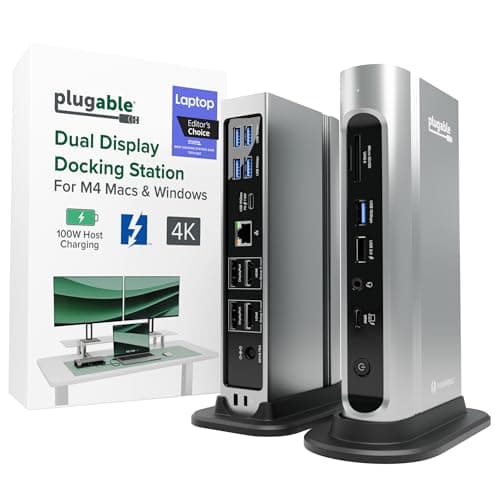
Why it's a good choice
There is one scenario where Thunderbolt genuinely earns its price: base-model Apple Silicon MacBooks that only drive a single external display over plain USB-C. A certified Thunderbolt 4 dock works around that limit and sustains 40Gbps for external SSDs at the same time. The charging side is still ordinary USB-C PD at 100W — you are paying for bandwidth and display support, not for faster charging.
✓ Buy if you have:
MacBook Air and Pro owners needing two monitors, video editors, developers running fast external storage
✗ Skip if you have:
Anyone on a laptop without a Thunderbolt port, and anyone whose setup is one monitor plus peripherals — the USB-C hub above does that for a third of the cost
Best for:
Apple Silicon MacBook owners who need dual external displays and high-speed storage
Frequently Asked Questions
Related Articles
What Does 100W USB-C Mean?
Understand USB Power Delivery wattage ratings and what they mean for your devices.
Does Cable Quality Affect Charging Speed?
Learn why cheap cables can slow down charging and when quality matters.
Affiliate Disclosure: ChargeTech Lab is reader-supported. When you buy through links on our site, we may earn an affiliate commission at no cost to you. We only recommend products we've researched and believe offer genuine value. We never accept payment for reviews or placements. Learn more