
Best USB-C Accessories for Microsoft Surface Pro (2026)

The Microsoft Surface Pro is one of the most portable productivity machines available — but its minimal port selection (one USB-C/Thunderbolt 4 and one USB-A on the Surface Pro 9) makes the right accessories essential. A single USB-C hub turns your Surface Pro into a full workstation; the right charger keeps it powered without the bulk of the original Surface Connect adapter. This guide covers the five best USB-C accessories for Microsoft Surface Pro, tested for compatibility, port reliability, and charging performance.
All picks are verified with Surface Pro 9 (USB-C PD 65W). Surface Pro 8 and Surface Pro X users with USB-C ports will also benefit from these accessories.
Surface Pro USB-C: Key Things to Know
The Surface Pro 9 features one Thunderbolt 4 USB-C port (full data, display, and charging), one USB-A 3.1 port, and the proprietary Surface Connect port. The USB-C port is the hub of your expansion options — and understanding its capabilities helps you pick the right accessories.
Surface Pro USB-C: Key Facts
- USB-C charging works at 65W: Surface Pro 9 supports USB-C PD charging up to 65W. Any USB-C PD charger at 65W or above will charge at full speed.
- Thunderbolt 4 port is backward-compatible: Standard USB-C hubs work fine in the Thunderbolt 4 port. You only need a Thunderbolt dock for 40Gbps data or eGPUs.
- Hub passthrough matters: If you connect a hub to the USB-C port, make sure the hub supports PD passthrough (85W+) to simultaneously charge your Surface Pro.
- Older Surface Pro models differ: Surface Pro 7 and below use Surface Connect only — no USB-C charging. Check your model before purchasing.
The 5 Best USB-C Accessories for Surface Pro
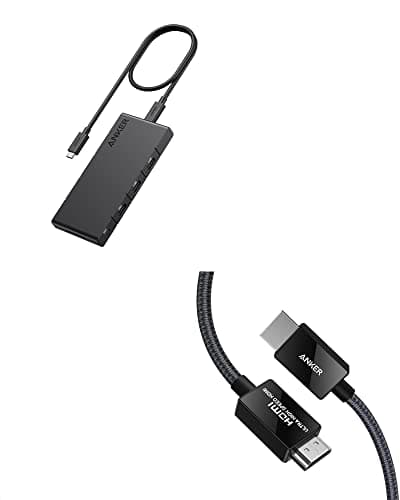
Anker 364 USB-C Hub 10-in-1
- 10-in-1: HDMI 2.0 (4K@60Hz), 2× USB-A 3.0, USB-C data, SD + microSD
- Gigabit Ethernet for stable video calls and network connections
- 85W PD passthrough — charges Surface Pro while hub is in use
- Aluminum chassis with passive cooling — no fan
- Compatible with Surface Pro 9 and later via USB-C
Pros
- +Complete port selection — no second hub needed for desk setup
- +4K@60Hz HDMI for crisp external monitor output
- +Gigabit Ethernet keeps video calls stable in home office
- +85W PD passthrough sustains Surface Pro charging under load
- +Aluminum body dissipates heat well during long work sessions
Cons
- −No Thunderbolt support (not needed for most Surface Pro users)
- −Single HDMI output — not for dual-display setups from this hub alone
- −Passthrough limited to 85W (Surface Pro charges at 65W max — sufficient)
Best for: Surface Pro users who need a full desk workstation: monitor, Ethernet, USB-A peripherals, and SD card in one hub.
Who should skip: Frequent travelers who need an ultra-compact hub. The Anker 364 is best left on the desk — pick a lighter 7-in-1 if portability is the priority.
The Anker 364 is the most complete hub for Surface Pro users who work from a desk. It adds every port the Surface Pro lacks — Gigabit Ethernet for stable video calls, 4K HDMI for an external monitor, SD card for creatives, and USB-A ports for older peripherals — all while passing through up to 85W of charging power.
See Current Price on Amazon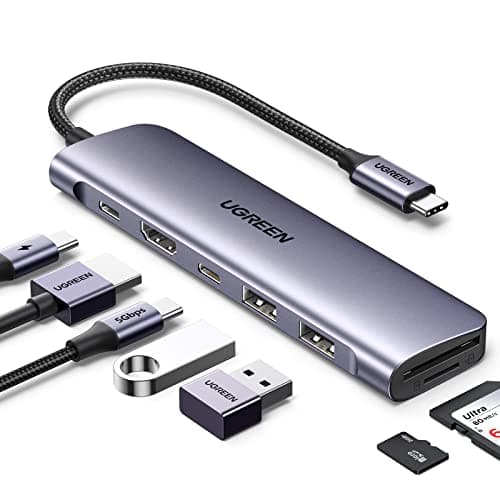
UGREEN Revodok Pro 10-in-1
- 10-in-1: HDMI 4K@60Hz, 3× USB-A, USB-C data 10Gbps, SD + microSD, Ethernet
- 100W PD passthrough — highest in class for a hub at this price
- Premium aluminum body for active heat dissipation
- USB-C data port at 10Gbps for fast external storage
- Compatible with Surface Pro 9 and later
Pros
- +Best thermal management — aluminum chassis handles demanding workloads
- +100W PD passthrough surpasses most competitors
- +3 USB-A ports (vs 2 on most 10-in-1 hubs)
- +10Gbps USB-C data port for external SSD transfers
- +Reliable UGREEN quality with broad driver support
Cons
- −Slightly larger than the Anker 364
- −Limited availability in some retail channels
Best for: Surface Pro users who run demanding workloads and need reliable hub temperature control during long sessions.
Who should skip: Light users who only need one or two extra ports. A simpler 7-in-1 hub at half the price covers basic needs without the extra cost.
UGREEN's Revodok Pro stands out for Surface Pro users who push their hub hard. The aluminum chassis actively dissipates heat during long work sessions, and 100W PD passthrough — higher than most competitors — ensures your Surface Pro charges at full speed even with all ports in use.
See Current Price on Amazon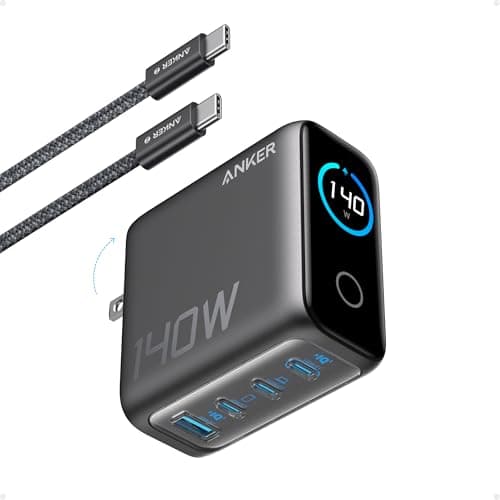
Anker 140W 4-Port GaN Charger
- 140W total output; 4 ports (3× USB-C + 1× USB-A)
- Single USB-C port delivers up to 140W — far more headroom than Surface Pro needs
- GaN technology for a compact size despite high wattage output
- USB-C Power Delivery 3.1 compliant
- ActiveShield 2.0 temperature monitoring for safe sustained charging
Pros
- +Massive headroom: Surface Pro charges at 65W, leaving power for hub and devices
- +Powers hub + Surface Pro + phone from a single wall outlet
- +GaN technology stays cooler and smaller than traditional chargers
- +4 ports eliminate the need for multiple chargers on the desk
- +Future-proof: handles any device you add to your Surface Pro setup
Cons
- −Overkill wattage if you only charge the Surface Pro alone
- −Premium price — a 65W charger suffices for Surface Pro-only use
Best for: Surface Pro users who want to power their hub, laptop, phone, and tablet from a single charger.
Who should skip: Anyone who just needs to charge their Surface Pro without a hub. For Surface Pro-only charging, a compact 65W or 100W GaN charger is a better value.
The Microsoft Surface Pro charges happily at 65W, but pairing it with a hub means you need a charger that can handle both the passthrough and the hub's connected devices. The Anker 140W 4-Port GaN charger gives you all the headroom you need — charge your Surface Pro via the hub's passthrough while the three remaining ports handle your phone, tablet, and accessories.
See Current Price on Amazon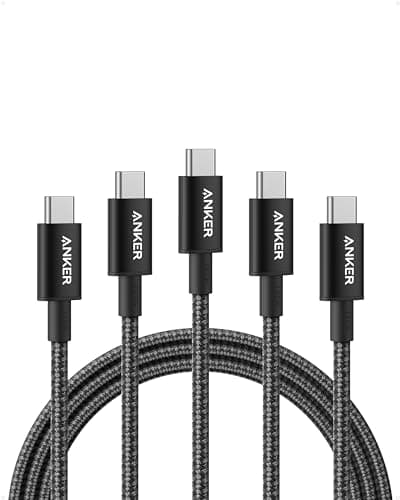
Anker USB-C Cable 100W 6ft
- 100W Power Delivery support with E-Marker chip
- 6ft (1.8m) braided nylon — long enough for desk flexibility
- USB 2.0 data (480 Mbps) — sufficient for charging
- USB-IF certified for safety compliance
- Tested for 25,000+ bend cycles at connector ends
Pros
- +USB-IF certified — meets safety standards for high-power USB-C charging
- +E-Marker chip ensures full 100W negotiation (no throttling)
- +6ft length gives desk flexibility for Surface Pro placement
- +Durable braided nylon outlasts standard rubber cables
- +Best value cable in this roundup at under $16
Cons
- −USB 2.0 data speeds only — not for external SSD transfers
- −6ft is slightly long for a travel kit
Best for: Surface Pro users who need a reliable, safe 100W charging cable that won't throttle power delivery.
Who should skip: Anyone who needs to transfer data to external SSDs or use Thunderbolt accessories. For high-speed data, you need a Thunderbolt 4 cable (typically $30-50).
A quality USB-C cable is the unsung hero of any Surface Pro setup. Anker's 100W braided cable is USB-IF certified — meaning it meets the safety standards for high-power charging — and at 6ft it gives you flexibility to position your Surface Pro without being tethered to the wall. For the price, it's one of the best value cables in the market.
See Current Price on Amazon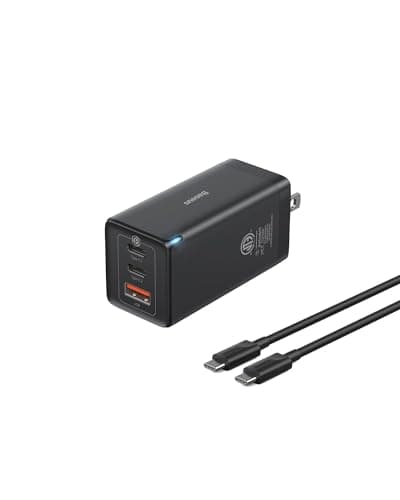
Baseus 65W GaN 3-Port
- 65W max output; 3 ports (2× USB-C + 1× USB-A)
- GaN technology in a compact travel-friendly body
- Matches Surface Pro's native 65W charging requirement exactly
- Smart power distribution across 3 ports
- Foldable prongs for easy packing
Pros
- +Ultra-compact — barely larger than a standard wall adapter
- +65W matches Microsoft's specified Surface Pro charging wattage
- +3 ports handle Surface Pro + phone + earbuds simultaneously
- +Best price in this roundup for a 3-port setup
- +Ideal for travel, coffee shops, and coworking spaces
Cons
- −65W won't fast-charge Surface Pro if also powering a hub passthrough simultaneously
- −Lower total wattage than other charger picks in this guide
Best for: Surface Pro users who travel frequently and want a lightweight, compact charging solution that covers the essentials.
Who should skip: Anyone using a USB-C hub with their Surface Pro at the desk. The 65W output is sufficient for Surface Pro alone but may not power a hub's full passthrough wattage under load.
When you're on the road with your Surface Pro, every gram counts. The Baseus 65W GaN charger is barely larger than a large USB plug yet delivers the exact wattage Microsoft specifies for Surface Pro charging. Three ports mean your phone and earbuds charge alongside your laptop — ideal for airports, coffee shops, and hotel rooms.
See Current Price on AmazonQuick Reference: All Picks at a Glance
| Category | Product | Price | Best For |
|---|---|---|---|
| BEST HUB | Anker 364 USB-C Hub 10-in-1 | $141.55 | Surface Pro users who need a full desk workstation: monitor, Ethernet, USB-A peripherals, and SD card in one hub. |
| BEST VALUE HUB | UGREEN Revodok Pro 10-in-1 | $17.98 | Surface Pro users who run demanding workloads and need reliable hub temperature control during long sessions. |
| BEST CHARGER | Anker 140W 4-Port GaN Charger | $79.99 | Surface Pro users who want to power their hub, laptop, phone, and tablet from a single charger. |
| BEST CABLE | Anker USB-C Cable 100W 6ft | $19.99 | Surface Pro users who need a reliable, safe 100W charging cable that won't throttle power delivery. |
| BEST TRAVEL CHARGER | Baseus 65W GaN 3-Port | ~$35.99 | Surface Pro users who travel frequently and want a lightweight, compact charging solution that covers the essentials. |
Surface Pro USB-C Accessories FAQ
Related Guides
Best USB-C Hubs for Windows Laptops
Full hub guide for Windows laptops — including Surface Pro alternatives and Thunderbolt dock options.
Best 100W USB-C Chargers
Full guide to 100W GaN chargers — compact options for travel and multi-port options for the desk.
Best 100W USB-C Cables
Why cable quality matters and which cables are safe for high-power USB-C charging with Surface Pro.
USB-C vs Thunderbolt Charging
Do you need Thunderbolt accessories for your Surface Pro? The answer is simpler than you think.
Summary
The best USB-C accessories for Microsoft Surface Pro in 2026 are: the Anker 364 10-in-1 hub ($79.99) for complete desk connectivity (HDMI, Ethernet, USB-A, SD card, 85W passthrough); the UGREEN Revodok Pro 10-in-1 ($69.99) for users who need best-in-class thermal management and 100W passthrough; the Anker 140W 4-Port GaN charger ($79.99) as the best desk charger for powering hub plus devices; the Anker 100W USB-C cable ($15.99) for safe, E-Marker certified charging; and the Baseus 65W GaN 3-port ($35.99) as the best travel charger that matches Surface Pro's native 65W requirement. Surface Pro 9 and later support USB-C PD charging — earlier models require the proprietary Surface Connect adapter.